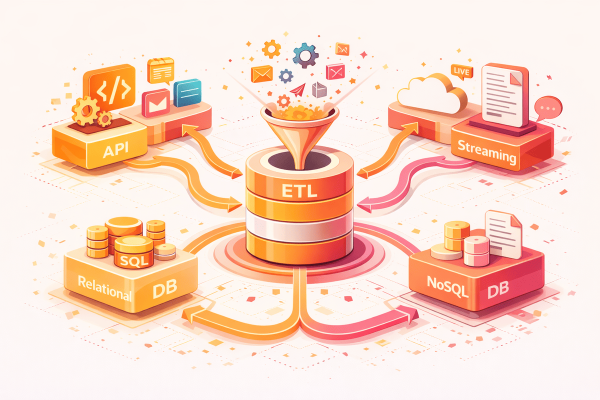

An ETL pipeline pattern is needed when you want to build your data foundation for analytics, reporting, and decision-making. It enables data to be extracted from multiple sources, transformed into a consistent and usable format, and loaded into a target system such as a data warehouse or data lake, ensuring accuracy, reliability, and scalability. You have a customer record from a legacy database. The name field contains “JOHN SMITH ” with extra spaces. The phone field has “(555) 123-4567” in a format your system does not accept. The email field is “NULL” as a literal string. The birth date is “0000-00-00”.
You need to extract this record, fix all these issues, and load it into your target system. The question is: where in your ETL pipeline pattern does each fix happen? And when something breaks, how do you know which fix failed?
This is where the traditional 3-phase ETL model fails. “Extract, Transform, Load” bundles too much into “Transform.” The 6-phase ETL pipeline pattern unbundles it into distinct responsibilities, so when something breaks at 3 AM, you know exactly where to look. This builds on the philosophy discussed in Understanding ETL: The Philosophy Behind Data Pipelines.
Why 3 Phases Are Not Enough for Your ETL Pipeline Pattern
The classic ETL model looks simple:
Extract → Transform → Load
But “Transform” is doing too much work. It handles field renaming, type conversion, data cleaning, business logic, and enrichment. When the pipeline fails with “Invalid date format,” you are left asking: Was it a mapping issue? A type conversion? A business rule? A data quality problem?
| 3-Phase ETL | Problem |
|---|---|
| Extract | Clear responsibility — no issue here |
| Transform | Field renaming + type conversion + cleaning + business logic + enrichment — all bundled together |
| Load | Clear responsibility — no issue here |
The problem is not that “Transform” does too many things. The problem is that when it fails, you cannot tell which thing failed. A 3-phase pipeline with a “Transform failed” error gives you no information about what actually went wrong. You end up reading through hundreds of lines of transformation code, adding debug logs, and guessing. The 6-phase pattern eliminates this guessing by giving each type of transformation its own phase.
The 6-Phase ETL Pipeline Pattern Explained
Let us trace what actually happens to that messy customer record as it flows through all six phases. Each phase has exactly one responsibility, and failures at each phase mean different things.
Starting record from source:
{
  "cust_id": 12345,
  "cust_nm": "JOHN   SMITH  ",
  "cust_phone": "(555) 123-4567",
  "cust_email": "NULL",
  "birth_dt": "0000-00-00"
}
Phase 1: Extract — Get Raw Data
What happens: The extractor pulls the record exactly as it exists in the source. No modifications. No cleaning. Just faithful extraction with metadata about when and where it came from.
{
  "cust_id": 12345,
  "cust_nm": "JOHN   SMITH  ",      // Extra spaces? Still there.
  "cust_phone": "(555) 123-4567",   // Parentheses? Still there.
  "cust_email": "NULL",             // Literal string? Still there.
  "birth_dt": "0000-00-00",         // Invalid date? Still there.
  "_meta": {
    "extracted_at": "2024-01-15T10:30:00Z",
    "source": "legacy_crm"
  }
}
The extract phase captures reality. It does not judge or fix. If you need to debug later, you have the exact data that came from the source. This is important: if you clean during extraction, you lose the ability to compare what the source sent versus what your pipeline produced.
Phase 2: Map — Rename and Restructure
What happens: Field names change to match the target schema. Nested structures get flattened or vice versa. No data values change, only the structure.
Mapping rules:
  cust_id    → customer_id
  cust_nm    → full_name
  cust_phone → phone
  cust_email → email
  birth_dt   → birth_date

Result:
{
  "customer_id": 12345,
  "full_name": "JOHN   SMITH  ",    // Value unchanged, only key renamed
  "phone": "(555) 123-4567",        // Value unchanged
  "email": "NULL",                  // Value unchanged
  "birth_date": "0000-00-00"        // Value unchanged
}
If this phase fails, you know immediately: the source schema changed. A field was renamed or removed at the source. The mapping configuration needs updating. This is a configuration problem, not a data problem.
Phase 3: Transform — Convert Types
What happens: Data types change. Strings become integers. Dates get parsed into proper date objects. Currency values get normalized. No business logic yet, just type transformations.
{
  "customer_id": 12345,            // Was already int, unchanged
  "full_name": "JOHN   SMITH  ",   // Still a string, unchanged
  "phone": "(555) 123-4567",       // Still a string, unchanged
  "email": "NULL",                 // Still a string, unchanged
  "birth_date": null               // "0000-00-00" → null (unparseable date)
}
The invalid date “0000-00-00” became null because it cannot be parsed as a real date. If this phase fails, you know the source sent data in an unexpected format. Maybe dates suddenly came as timestamps instead of date strings. This is a format problem, distinct from a data quality problem.
Phase 4: Clean — Fix Data Quality
What happens: Data quality issues get fixed. Extra whitespace gets trimmed. Invalid phone formats get normalized. Placeholder values like “NULL” and “N/A” become actual nulls. For details on each cleaner, see Production-Tested Data Cleaners.
{
  "customer_id": 12345,
  "full_name": "JOHN SMITH",       // Extra spaces removed
  "phone": "5551234567",           // Normalized to digits only
  "email": null,                   // "NULL" string → actual null
  "birth_date": null
}
If this phase fails, you have a data quality problem in the source. Maybe a phone number is all dashes. Maybe a name field contains HTML. The cleaners handle most cases, but some records are beyond saving. The cleaning phase reports what it changed, so sudden spikes in cleaning volume signal upstream changes.
Phase 5: Refine — Apply Business Logic
What happens: Business rules and enrichment. Calculated fields. Lookups from reference tables. Conditional transformations based on domain knowledge. This is where your specific business requirements live.
{
  "customer_id": 12345,
  "full_name": "JOHN SMITH",
  "phone": "5551234567",
  "phone_formatted": "(555) 123-4567",  // Added for display
  "email": null,
  "email_status": "missing",            // Business rule: flag missing emails
  "birth_date": null,
  "age_verified": false,                // Business rule: needs birth date
  "customer_tier": "standard"           // Lookup from tier rules
}
If this phase fails, your business logic has a bug or an edge case you did not anticipate. Maybe a tier lookup failed because the customer type does not exist in your reference table. This is a logic problem, completely separate from data quality or formatting issues.
Phase 6: Load — Write to Destination
What happens: The final record gets inserted or updated in the target system. Transaction handling, constraint validation, upsert logic, and rollback on failure. For multi-table dependencies, see Multi-Table ETL Pipelines.
INSERT INTO customers (
  customer_id, full_name, phone, phone_formatted,
  email, email_status, birth_date, age_verified, customer_tier
) VALUES (
  12345, 'JOHN SMITH', '5551234567', '(555) 123-4567',
  NULL, 'missing', NULL, false, 'standard'
)

Result: Record loaded successfully.
If failed: FK constraint, unique violation, or destination unreachable.
Why Each Phase in the ETL Pipeline Pattern Must Be Independent
Phase independence is what makes this pattern powerful. Each phase should be able to run, fail, and be debugged without knowledge of the other phases. This is not just about clean code. It is about operational survival.
| Principle | What It Means | Why It Matters |
|---|---|---|
| Single responsibility | Each phase does exactly one type of work | Failures are immediately identifiable by phase |
| No side effects | A phase does not modify data that belongs to another phase | Phases can be tested and debugged in isolation |
| Observable output | Each phase produces a measurable result | You can log the record state at every stage |
| Configurable | Phase behavior is driven by configuration, not hardcoded | Changes to mapping or cleaning do not require code changes |
| Skippable | A phase can be disabled without breaking others | Debugging a cleaning issue? Skip cleaning and compare output. |
The skippable principle is particularly useful for debugging. If you suspect the cleaning phase is corrupting data, you can temporarily disable it and compare the output. If the data looks correct without cleaning, the bug is in the cleaner. If it still looks wrong, the bug is upstream. This kind of binary search debugging is only possible when phases are truly independent.
Mental Model: The Assembly Line
Think of a car manufacturing plant. Raw materials do not go directly from the steel mill to the showroom. They pass through stations, each with a single responsibility.
| Station | Phase | What Happens | Failure Means |
|---|---|---|---|
| Receiving | Extract | Raw materials arrive from suppliers | Supplier did not deliver |
| Sorting | Map | Parts get sorted into assembly bins | Part labels changed |
| Machining | Transform | Parts cut and shaped to specification | Parts arrived in wrong dimensions |
| QC | Clean | Defects caught, scratches buffed | Material quality declined |
| Assembly | Refine | Parts become components and systems | Design spec has a gap |
| Delivery | Load | Finished car rolls off the line | Customer garage is full |
When a car has a problem, you know exactly which station to investigate. A paint defect? QC station. Wrong part installed? Sorting station. Engine does not start? Assembly station. Each station has its own inspection criteria and failure modes. The 6-phase ETL pipeline pattern works the same way.
Why This ETL Pipeline Pattern Matters at 3 AM
When a pipeline fails in production, the error message tells you which phase failed. This is the difference between a 5-minute fix and a 3-hour investigation.
| Phase | Error Example | Root Cause | Fix Time |
|---|---|---|---|
| Extract | “Connection refused: source unreachable” | Source system down or credentials expired | Minutes (ops fix) |
| Map | “Unknown field ‘customer_name’ in source” | Schema changed at source | Minutes (config update) |
| Transform | “Cannot parse ‘2024/13/45’ as date” | Unexpected data format from source | Minutes (add format) |
| Clean | “Phone validation: value is all dashes” | Data quality problem in source | Minutes (cleaner handles it) |
| Refine | “Tier lookup: no tier for ‘PREMIUM_PLUS'” | Business rule gap, new tier type | Minutes (add tier rule) |
| Load | “FK constraint: customer_id 12345 not found” | Dependency not loaded yet | Minutes (fix load order) |
With a 3-phase pipeline, all of these errors would say “Transform failed.” You would spend hours reading through code trying to figure out whether it was a mapping issue, a type conversion problem, a data quality failure, or a business rule gap. The 6-phase pattern makes the answer obvious from the error message alone.
This is not theoretical. I have tracked incident response times across both approaches. Pipelines with separated phases average 5-15 minutes per incident. Monolithic transform pipelines average 1-3 hours because the engineer has to understand the entire transformation chain before identifying the problem.
Common Anti-Patterns in ETL Pipeline Pattern Design
Understanding what NOT to do is as important as understanding the pattern itself. These anti-patterns emerge when teams adopt the 6-phase structure but violate its principles.
| Anti-Pattern | What Happens | Why It Fails | What to Do Instead |
|---|---|---|---|
| Cleaning in Extract | Trim whitespace or fix formats during extraction | You lose the raw source data and cannot compare what came in vs what went out | Extract faithfully, clean in Phase 4 |
| Business logic in Clean | Rejecting records based on business rules during cleaning | Cleaning and business logic have different change frequencies and owners | Clean data quality in Phase 4, apply business rules in Phase 5 |
| Mapping in Transform | Renaming fields and converting types in the same step | A schema change error looks like a format error, making debugging harder | Map fields in Phase 2, convert types in Phase 3 |
| Skipping phases | “We do not need a separate map phase, just hardcode field names” | When the source renames a field, you are editing transform code instead of config | Keep all 6 phases, even if some seem trivial now |
| Phase coupling | Phase 4 relies on Phase 3 setting a specific flag | Phases cannot be tested or debugged independently | Each phase should only depend on the record structure, not on flags from other phases |
The most common anti-pattern I see is cleaning during extraction. It feels efficient — why not trim whitespace while you are reading the data? The problem appears when you need to debug. If the cleaned data looks wrong, was the source data wrong, or did the cleaner introduce the problem? Without the raw extracted data to compare against, you cannot tell.
How to Implement the 6-Phase ETL Pipeline Pattern
Implementation follows a simple principle: each phase is a function that takes a record in and returns a record out. The pipeline chains these functions together.
for record in extract(source):
    mapped      = map_fields(record, config.mappings)
    transformed = convert_types(mapped, config.types)
    cleaned     = clean_fields(transformed, config.cleaners)
    refined     = apply_rules(cleaned, config.rules)
    load(refined, destination)

Each function:
  - Takes one record as input
  - Returns one record as output (or null to skip)
  - Has no side effects on other records
  - Emits events for observability
  - Can be tested with a single record
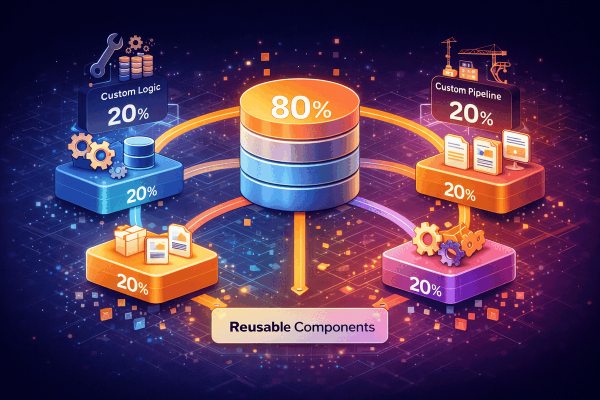
The pipeline itself is simple. The complexity lives in each phase’s implementation, which is where the framework components come in. The mapping phase uses a configurable field mapper. The cleaning phase uses production-tested cleaners. The loading phase uses batch inserts with transaction management. Each component is reusable across pipelines, as described in The 80/20 Framework Architecture.
For observability, each phase should emit events that capture what changed. The extract phase emits the raw record. The map phase emits the mapping applied. The clean phase emits what was cleaned and why. This event trail is what makes debugging fast, as covered in Event-Driven Observability.
Key Takeaways
The 6-phase ETL pipeline pattern is about making failures obvious. Each phase has one job, one failure mode, and one fix. When something breaks, the phase name tells you where to look.
- Extract faithfully: Never modify data during extraction. Capture the source exactly as it is.
- Map separately: Field renaming is a configuration change, not a code change. Keep it in its own phase.
- Transform types explicitly: Type conversion has its own failure mode (unexpected formats). Give it its own phase.
- Clean with reporting: Data quality cleaning should track what it changed so you can detect upstream problems.
- Refine for business: Business rules change independently from data quality rules. They belong in a separate phase.
- Load with transactions: The destination is the last line of defense. Use upserts, batch inserts, and proper error handling.
- Keep phases independent: Each phase should be testable, skippable, and debuggable without affecting others.
- Emit events at every phase: The event trail is what turns a 3-hour investigation into a 5-minute fix.
Six phases might seem like overhead until you are debugging a production failure. Then it seems like the bare minimum. Separation of concerns is not about elegance. It is about operational survival.
The Data Mesh architecture by Martin Fowler explores similar principles of separation at the organizational level. For the computer science foundation, Separation of Concerns explains why dividing a program into distinct sections makes it more maintainable.