
- What Does AI in Production Actually Mean?
- The Demo vs Production Gap
- Why AI Systems Fail in Production
- Under the Hood: Real Production AI Architecture
- What Should You Monitor in a Production AI System?
- The Cost Reality Nobody Talks About
- How to Design Fallback Strategies That Actually Work
- Production AI Anti-Patterns to Avoid
- The MLOps Stack You Actually Need
- Key Takeaways
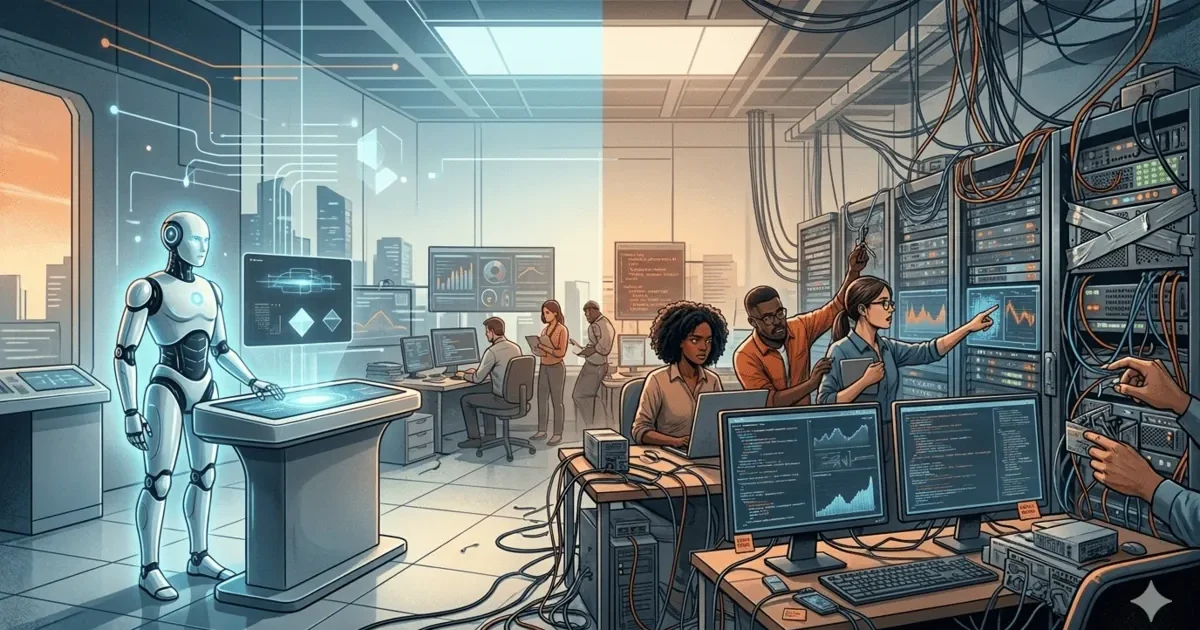
Every AI demo looks impressive. The model generates coherent text, recognizes images, or predicts outcomes with surprising accuracy. Then you try to deploy AI in production, and everything falls apart. I have shipped AI systems across fintech, enterprise platforms, and data engineering pipelines. The pattern is always the same: what works in a Jupyter notebook rarely survives contact with real users, real data, and real infrastructure constraints.
This is not a pessimistic take. AI in production works. It works well. But it works well only when you treat it as an engineering problem, not a data science problem. The teams that succeed are the ones who spend 20% of their time on the model and 80% on everything around it.
What Does AI in Production Actually Mean?
Running AI in production means real users, real data, real consequences. It means the system runs 24/7 without a data scientist babysitting it. It means errors have business impact. It means performance is measured not in benchmark scores but in user satisfaction, latency percentiles, and cost per prediction.
Production AI — This sounds straightforward, but it is really just this: an AI model serving real requests, in real-time, with real stakes, under conditions you cannot fully control. That last part is what makes it hard.
| Dimension | Lab/Demo Environment | Production Environment |
|---|---|---|
| Data | Clean, curated, representative | Messy, drifting, adversarial |
| Input quality | Well-formatted, expected ranges | Typos, nulls, edge cases, garbage |
| Load | One request at a time | Hundreds or thousands concurrent |
| Latency | “Whenever it finishes” | p95 under 500ms or users leave |
| Errors | “Interesting, let me fix that” | Revenue loss, user churn, compliance risk |
| Monitoring | Manual inspection | Automated alerting, dashboards, drift detection |
| Updates | Retrain whenever | Blue-green deployment, canary releases, rollback plans |
Why Is There Such a Big Gap Between Demos and Production?
Demos are curated. They use clean data, controlled inputs, and ideal conditions. AI in production is messy. Users type garbage. Data drifts. Networks fail. Edge cases multiply exponentially.
The first AI system I deployed was a document classifier for a fintech application. In testing, it achieved 94% accuracy. In production, it dropped to 67% within two weeks. Why? Users uploaded photos of crumpled documents taken in poor lighting. The training data was pristine scans. Nobody thought to test with real-world image quality.
This story is not unique. I have heard variations of it from dozens of teams. The gap between demo accuracy and production accuracy is so consistent that I now apply a rule of thumb: expect 15-25% accuracy degradation when deploying AI in production. If your model needs 85% accuracy to be useful, it needs 95%+ on your test set.
Why Do AI Systems Fail in Production?
After shipping AI in production systems over 3+ years, I have categorized the AI in production failure modes into five main categories. Understanding these before deployment saves enormous pain.
| Failure Mode | What Happens | How to Detect | How to Prevent |
|---|---|---|---|
| Data drift | Input distribution changes gradually; model accuracy degrades silently | Monitor input feature distributions over time | Automated drift detection, regular retraining schedules |
| Edge case explosion | Real users find inputs the training data never covered | Track prediction confidence; low confidence = likely edge case | Adversarial testing, fallback paths for low confidence |
| Latency spikes | Model inference too slow under real load conditions | p50/p95/p99 latency monitoring | Load testing, model optimization, caching, async processing |
| Cost overruns | API or GPU costs exceed budget at production scale | Per-request cost tracking, daily/weekly spend alerts | Model distillation, caching frequent queries, rate limiting |
| Silent failures | Model returns plausible but wrong answers; no error raised | Confidence thresholds, human review sampling, output validation | Structured outputs, validation layers, confidence-based routing |
The most dangerous AI in production failure mode is silent failures. When a model crashes, you know immediately. When it confidently returns wrong answers, you might not discover the problem for weeks. I once had a text classification model that silently started misclassifying a new document type because the business added a category that did not exist in the training data. The model assigned it to the closest existing category with high confidence. Nobody noticed for three weeks.
Under the Hood: What Does a Real Production AI Architecture Look Like?
Let me walk through what actually happens when a production AI system processes a request. This is a simplified but accurate representation of AI in production systems I have built.
User submits a document for classification

Step 1: API Gateway receives request
        → Rate limiting check (max 100 req/s per client)
        → Authentication and authorization
        → Request ID generated for tracing
        → Latency timer starts

Step 2: Input validation layer
        → File type check (PDF, JPG, PNG only)
        → File size check (max 10MB)
        → Malware scan
        → If invalid → return 400 with specific error

Step 3: Preprocessing pipeline
        → Image normalization (resize, color correction)
        → OCR text extraction (if document is an image)
        → Feature extraction (convert to model input format)
        → Cache check: have we seen this exact input before?
        → If cached → return cached result (skip model)

Step 4: Model inference
        → Route to appropriate model version (A/B test: 90% v2.3, 10% v2.4)
        → GPU inference (target: under 200ms)
        → Output: class label + confidence score
        → Log: input hash, model version, prediction, confidence, latency

Step 5: Post-processing and validation
        → Confidence threshold check (if below 0.75 → route to human review)
        → Business rule validation (does the prediction make sense?)
        → Format response

Step 6: Response
        → Return prediction + confidence + request ID
        → Total latency: 180-350ms (target: p95 under 500ms)
        → Cost per request: ~$0.003
Notice how much infrastructure exists around the actual model call in Step 4. The model inference itself is one step in a pipeline of ten. That is the reality of production AI. The model is a component, not the system.
What Should You Monitor in a Production AI System?
Models degrade silently. Data drift happens gradually. By the time someone notices predictions are wrong, the damage is done. Every AI in production system needs comprehensive monitoring. Here is the minimum viable monitoring stack.
| Metric | What It Tells You | Alert Threshold |
|---|---|---|
| Prediction latency (p50, p95, p99) | How fast the model responds under real load | p95 > 500ms |
| Prediction confidence distribution | How certain the model is about its predictions | Mean confidence drops > 5% week-over-week |
| Input feature distribution | Whether incoming data still matches training data | KL divergence exceeds threshold |
| Error rate by category | Whether specific input types are failing more often | Any category error rate > 2x baseline |
| Fallback rate | How often the system falls back to non-AI path | Fallback rate > 15% |
| Cost per prediction | Whether infrastructure costs are within budget | Daily cost exceeds 120% of budget |
| Human review queue depth | Whether low-confidence predictions are backing up | Queue depth > 100 items |
The most important metric is one that most teams miss: prediction confidence distribution over time. If the average confidence of your model starts dropping gradually, it usually means the input data is drifting away from what the model was trained on. This gives you a weeks-early warning before accuracy visibly degrades.
What Does Production AI Actually Cost?
AI tutorials rarely discuss costs. AI in production requires it. Here is what a real production AI system costs, based on systems I have built or consulted on.
| Cost Component | LLM API-Based | Self-Hosted GPU | Hybrid |
|---|---|---|---|
| Inference cost (10K requests/day) | $150-500/month | $800-2,000/month (GPU rental) | $300-800/month |
| Infrastructure (API gateway, monitoring) | $50-200/month | $200-500/month | $100-300/month |
| Engineering time (maintenance) | 0.5 FTE | 1-2 FTE | 0.5-1 FTE |
| Data pipeline (preprocessing) | $50-100/month | $50-100/month | $50-100/month |
| Monitoring and alerting | $50-100/month | $100-200/month | $50-150/month |
| Total monthly cost | $300-900 | $1,150-2,800 | $500-1,350 |
The hidden cost of AI in production that surprises most teams is engineering time. A self-hosted model requires someone to manage GPU infrastructure, handle model updates, debug performance issues, and maintain the deployment pipeline. That person costs far more than the GPU rental. API-based approaches trade higher per-request costs for lower engineering overhead.
How Do You Design Fallback Strategies That Actually Work?
When the model fails, what happens? If your answer is “the system crashes,” you are not ready for production. Every AI in production prediction path needs a fallback. The user experience when AI fails matters more than the accuracy when it works.
I once spent two weeks optimizing a model from 2.1 seconds to 180 milliseconds. The accuracy dropped by 2%. That was the right trade-off. The faster model actually got used. The more accurate but slower model sat unused because users abandoned before it responded.
| Strategy | When to Use | Trade-off |
|---|---|---|
| Rule-based fallback | Model confidence below threshold | Less accurate but predictable and fast |
| Human-in-the-loop | High-stakes predictions with low confidence | Accurate but slow and expensive |
| Graceful degradation | Model service is down entirely | Reduced functionality but system stays up |
| Cached predictions | Same input seen before | Fast and free but stale if data changes |
| Simpler model fallback | Primary model is too slow or expensive | Faster and cheaper but less capable |
The best fallback strategy I have implemented uses a confidence-based routing system. High confidence predictions (above 0.85) go straight to the user. Medium confidence (0.60-0.85) gets a rule-based validation check before returning. Low confidence (below 0.60) routes to a human review queue. This approach reduced our error rate by 73% while only adding human review to 12% of requests.
What Are the Most Common Production AI Anti-Patterns?
| Anti-Pattern | Why Teams Do It | What Goes Wrong | Better Approach |
|---|---|---|---|
| “Ship the notebook” | Jupyter notebook works, so deploy it directly | No error handling, no monitoring, no scaling | Rewrite inference as a proper service with all production concerns |
| No fallback path | “The model is accurate enough” | System crashes when model fails or service is down | Always have a non-AI path for critical functionality |
| Train once, deploy forever | Retraining is expensive and complicated | Model accuracy degrades as data drifts over months | Schedule regular retraining or implement continuous learning |
| Ignoring latency | “Users will wait for good results” | Users abandon. Downstream systems timeout. | Set latency budgets. Optimize or use async processing. |
| No input validation | “The model handles anything” | Garbage in, garbage out. Unexpected inputs cause silent failures. | Validate inputs before they reach the model |
| Testing on training data | Convenience, speed | Inflated accuracy numbers that do not reflect production performance | Hold out a test set that mirrors production data distribution |
What MLOps Stack Do You Actually Need?
The MLOps ecosystem is overwhelming. There are hundreds of tools for every part of the pipeline. Here is the minimum stack that I have found necessary for AI in production, stripped of unnecessary complexity.
| Component | Purpose | Simple Option | Mature Option |
|---|---|---|---|
| Model registry | Version and track model artifacts | S3 bucket with naming conventions | MLflow, Weights & Biases |
| Feature store | Consistent features for training and serving | PostgreSQL table with versioned features | Feast, Tecton |
| Serving layer | Expose model as an API | FastAPI + Docker | Seldon, BentoML, SageMaker |
| Monitoring | Track predictions, latency, drift | Prometheus + Grafana | Arize, Evidently AI, WhyLabs |
| CI/CD for models | Automate testing and deployment | GitHub Actions + custom scripts | CML, Kubeflow Pipelines |
| A/B testing | Compare model versions safely | Traffic splitting at load balancer | LaunchDarkly, custom routing |
Start with the simple options. Move to mature options when the simple ones create operational pain. I have seen too many teams spend three months setting up Kubeflow when a Docker container and a cron job would have gotten them to production in two weeks. You can always upgrade your AI in production infrastructure. You cannot get back the months you spent over-engineering it.
Key Takeaways
- AI in production is 20% model development and 80% engineering: The teams that succeed treat AI like any other software system: versioned, monitored, tested, and designed to fail gracefully.
- Expect 15-25% accuracy degradation from test to live: Build that margin into your requirements. If you need 85% in production, target 95%+ in testing.
- Monitor prediction confidence, not just accuracy: Confidence distribution changes give you early warning of data drift before accuracy visibly degrades.
- Every AI path needs a fallback: Rule-based logic, human review queues, or graceful degradation. The user experience when AI fails matters more than accuracy when it works.
- Silent failures are the most dangerous failure mode: Models that confidently return wrong answers cause more damage than models that crash. Build confidence thresholds and validation layers.
- Start simple, iterate fast: A FastAPI service with basic monitoring beats a Kubeflow pipeline that takes three months to set up. Get AI in production quickly, then improve.
- Track costs from day one: Production AI costs compound quickly. Per-request cost tracking prevents budget surprises and informs architecture decisions.