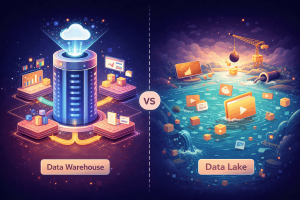
Data Lake
A storage system for raw data in any format, where structure is applied at query…

A database optimized for analytical queries, where data is structured and validated before storage.

A data warehouse is a database designed specifically for analytical queries — the kind that ask “what happened across all regions last quarter?” rather than “what is customer 12345’s email address?” Those two questions look similar, but they require fundamentally different database architectures to answer efficiently.
Your production database handles day-to-day transactions: processing orders, updating passwords, looking up individual records. It is optimized for fast, small operations on single rows. A data warehouse does the opposite. It pulls data from multiple source systems — CRM, marketing tools, financial records, inventory — and consolidates it into a single, unified environment optimized for reading and analyzing large volumes at once.
The data enters through a process called ETL (Extract, Transform, Load). Raw data is extracted from each source, cleaned and structured into a consistent format, then loaded into the warehouse. This upfront work is what makes analytical queries fast — the database knows exactly what it is working with before any query runs.
When you query a data warehouse, the database does not scan your original transaction records. It reads from pre-organized, pre-aggregated structures optimized for analysis. Let us trace what this actually means.
Your transaction database (OLTP):
orders table: 50 million rows
  → Optimized for: INSERT one order at a time
  → Indexed on: order_id (for quick lookups)
  → Normalized: customer info in separate table
  → Schema: 3NF — no duplicated data, many JOINs needed
Your data warehouse (OLAP):
sales_facts table: 50 million rows
  → Optimized for: SELECT SUM, GROUP BY, aggregations
  → Indexed on: date, region, product (for analysis)
  → Denormalized: customer name stored WITH each row
  → Schema: Star — fewer JOINs, faster scans
Notice the denormalization. In a transaction database, storing the customer name with every order would be wasteful duplication. In a data warehouse, it is a deliberate optimization. When an analyst runs “show me total sales by customer for the last year,” the warehouse does not need to JOIN the customers table — the name is already there. This single architectural decision can make the difference between a query that takes 3 seconds and one that takes 30.
A data warehouse validates and structures data before storing it. This is called schema-on-write. The upfront work makes queries fast because the database knows exactly what it is working with — no surprises, no type mismatches, no missing fields to handle at query time.
Data warehouses enforce structure before data enters. This is the most important concept to understand:
Raw data arrives → ETL validates and transforms → Structured data stored

If data does not match schema → Rejected
If required field missing   → Rejected
If data type wrong          → Rejected
If value out of range       → Rejected or flagged
This strictness is the trade-off. Getting data INTO the warehouse takes effort — you must define schemas, build ETL pipelines, and handle rejections. But once the data is in, every query benefits from that upfront investment. There are no format surprises at query time. No null values where numbers are expected. No dates stored as strings. The analyst can trust the data and focus on the analysis.
These two architectures exist because they solve fundamentally different problems. Running analytical queries on a production database slows down the application. Running transactions on a data warehouse is wasteful. Each is optimized for its purpose.
| Aspect | OLTP (Production DB) | OLAP (Data Warehouse) |
|---|---|---|
| Optimized for | Many small transactions (INSERT, UPDATE) | Few large analytical queries (SELECT, GROUP BY) |
| Schema design | Normalized (3NF) — no duplication | Denormalized (star/snowflake) — deliberate duplication |
| Storage orientation | Row-oriented — fast for full row reads | Column-oriented — fast for aggregating one column across millions of rows |
| Data currency | Real-time | Batch (hourly/daily refresh) |
| Primary users | Applications and customers | Analysts and business users |
| Typical query | “Get order #12345” | “Total revenue by region for Q3” |
Column-oriented storage deserves a closer look. In a row-oriented database, data is stored as complete rows: [id, name, region, amount]. To sum all amounts, the database must read every row entirely, even though it only needs one column. In a column-oriented warehouse, amounts are stored together: [amount1, amount2, amount3…]. Summing them means reading only the data you need. For a 50-million-row table, that is the difference between scanning 5GB and scanning 500MB.
Consider a data warehouse when:
A data warehouse is not just a bigger database. It is a fundamentally different architecture optimized for a different access pattern — reading and analyzing large volumes of historical data.
Think of a data warehouse like a well-organized filing cabinet. Every document has a specific folder. Every folder has a specific drawer. Finding anything is fast because everything is in its designated place. But adding a new type of document requires creating new folders first — you cannot just throw papers in randomly. The filing takes effort upfront, but the retrieval is instant.
Speed and organization in exchange for upfront planning. Queries run fast because everything is pre-structured, but you must define your schema and build ETL pipelines before loading data. The investment pays off when analysts can answer business questions in seconds instead of hours.